
Anime Duelists Codes Tool
Copy active Roblox promo codes fast — interactive buttons on this page.
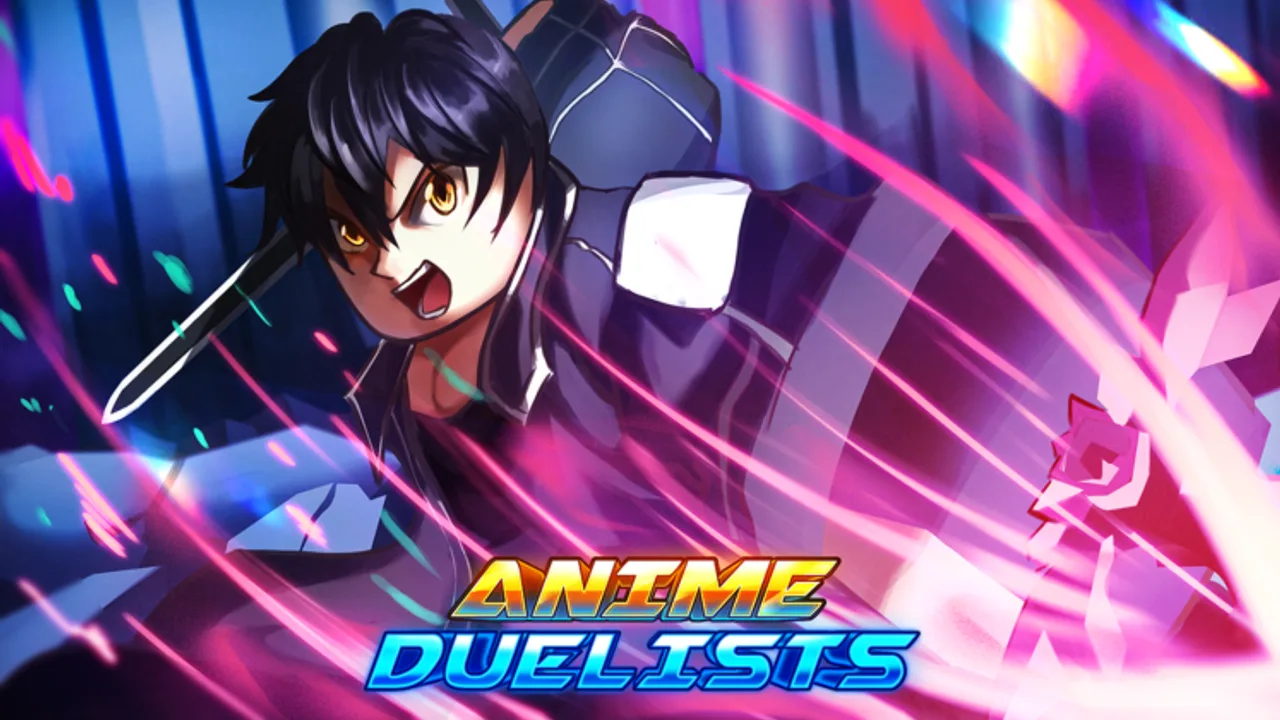
Anime Duelists codes — one-tap copy
Tap Copy, then paste into the Anime Duelists Shop code box on Roblox. Codes expire without notice.
Redeeming every active Anime Duelists Roblox promo on a fresh account means pasting twenty or more strings into the Shop code box without a single typo. Roblox treats some codes as case-sensitive, and mobile players lose minutes flipping between Discord screenshots and the game. This Codes Tool page solves that friction: it lists the same working codes as Codes in a copy-optimized layout, and the live page includes an interactive client-side copy button beside each row (implemented as a dedicated Astro component on the rendered page — you do not need to install anything).
Note: When viewing the built wiki page, tap or click the copy control next to each code to send that string to your clipboard, then paste into Shop → Code. If buttons are unavailable in your browser, select the markdown text manually below.
This tool is not official and not affiliated with Toonrise Studios. Rewards and expiration dates follow in-game verification. The list below matches the Beebom tracker rechecked August 1, 2026 — same 22 active codes as the July 29 baseline, with no new UPDATE string.
After Update 3.75 (July 2026), refresh this list whenever Updates publishes a new patch.
How to use this codes tool
- Launch Anime Duelists from the official Roblox link on Links.
- Open Shop on the left side of the HUD (primary redemption path on current builds).
- Scroll to the Code text field.
- On this wiki page, use the copy button UI next to the code you need — or highlight the code from the list below.
- Paste into the box and confirm. Wait for the reward toast before copying the next string.
- If Gems or boosts do not appear, open Inbox → Gift → Claim before assuming failure.
- Repeat until you have claimed every code this account has not redeemed yet.
For screenshots and error fixes, read How to Redeem Codes. For where new strings appear first, see How to Get More Codes.
Active Anime Duelists codes (July 2026)
Copy each line exactly as shown. Typical rewards include Gems, Trait Rerolls, Stat Rerolls, and Boosts unless noted.
| Code | Notes |
|---|---|
| UPDATE3.75 | Current patch code — redeem first |
| 4MVISITS | 4M visit milestone |
| UPDATE3.5 | Previous major update |
| 3MVISITS | 3M visit milestone |
| BATTLEPASS | Battle Pass launch promo |
| UPDATE2 | Update 2 celebration |
| 1MVISITS | 1M visit milestone |
| 5KLIKES | Like milestone |
| 5KPLAYERS | Concurrent player milestone |
| 10KFAVORITES | 10K favorites milestone |
| UPDATE3 | Large Update 3 reroll bundle |
| 7KLIKES | 200 Gems, 200 rerolls, II boosts |
| 30KFAVORITES | 200 Gems, 200 rerolls, II boosts |
| UPDATE2.5 | 250 Gems, 3 Boosts |
| 20KFAVORITES | 250 Gems, 3 Boosts |
| UPDATE1 | Early update code |
| 3KPLAYERS | Player milestone |
| 500KVISITS | Half-million visits |
| MINIUPDATE | 250 Gems, 3 Boosts |
| 2KLIKES | 250 Gems, 3 Boosts |
| 2KPLAYERS | 250 Gems, 3 Boosts |
| RELEASE | 70 Gems launch code |
Plain list for manual selection
If the interactive copy UI does not load, select from this block:
- UPDATE3.75
- 4MVISITS
- UPDATE3.5
- 3MVISITS
- BATTLEPASS
- UPDATE2
- 1MVISITS
- 5KLIKES
- 5KPLAYERS
- 10KFAVORITES
- UPDATE3
- 7KLIKES
- 30KFAVORITES
- UPDATE2.5
- 20KFAVORITES
- UPDATE1
- 3KPLAYERS
- 500KVISITS
- MINIUPDATE
- 2KLIKES
- 2KPLAYERS
- RELEASE
Retired strings including THANKSFORPLAYING and all SHUTDOWN codes are on Expired Codes — do not copy them from outdated screenshots.
What to do after bulk redemption
Gems should funnel toward permanent upgrades ranked on the Game Passes tier list — Multi Open, Extra Equip, and Fast Open remain top priorities in Gems. Trait and Stat Rerolls belong on Mythical keeps per Traits and Stats, not early Legendaries. Boosts stack with Auto Hatch routes from Getting Started.
If you maintain multiple alts, repeat the tool workflow on each profile once. Trading rules in Trading apply if you consolidate items.
When codes fail
An invalid or expired message usually means:
- The code retired after a newer UPDATE string replaced it.
- You already redeemed that code on this account.
- A typo slipped in — use the copy button UI instead of typing by hand.
- A tracker lagged behind Beebom — check Codes and Discord before giving up on a string listed as active.
Check Updates after patch day before assuming the tool list is outdated.
Tools hub and related pages
- Tools Hub — overview of all wiki utilities
- Codes — full rewards context and FAQ
- How to Redeem Codes — Shop walkthrough and Inbox claims
- How to Get More Codes — Discord announcements
- Expired Codes — retired shutdown and thank-you strings
- Guides — spending order after free rewards
- Updates — patch tracking for new UPDATE strings
- Scripts — not required for this tool; automation is separate and risky
Frequently Asked Questions
Quick answers to the most common Anime Duelists questions.
Does the Anime Duelists Codes Tool have copy buttons?
Yes. The rendered wiki page includes a client-side copy button UI next to each active code. Tap to copy, then paste into the Shop code box in-game.
What is the newest Anime Duelists code to copy first?
UPDATE3.75 is the current patch code as of July 2026. Copy it first, then work through milestone codes like 4MVISITS and BATTLEPASS.
Where do I paste codes from this tool?
Open Shop on the left HUD, find the Code field, paste, and confirm. If rewards do not show, check Inbox → Gift → Claim. The primary path is Shop on Update 3.75 builds.
Is this codes tool the same as the Codes page?
Both list active promos per Beebom August 1, 2026 recheck. The tool optimizes one-click copying; the Codes page adds reward tiers, strategy, and expiration context.
Why did a copied code fail in Anime Duelists?
It may be expired, already redeemed, or case-mismatched. Re-copy from the button UI and check Updates for newer patch codes. Trackers sometimes disagree — verify on Discord if needed.
Do I need a script to use the Codes Tool?
No. This is a safe wiki utility in your browser. Scripts and executors are documented separately on the Scripts hub and carry ban risk.